WEB-BASED APP · WORKS OFFLINE
STIC: Student-Teacher Interaction Code
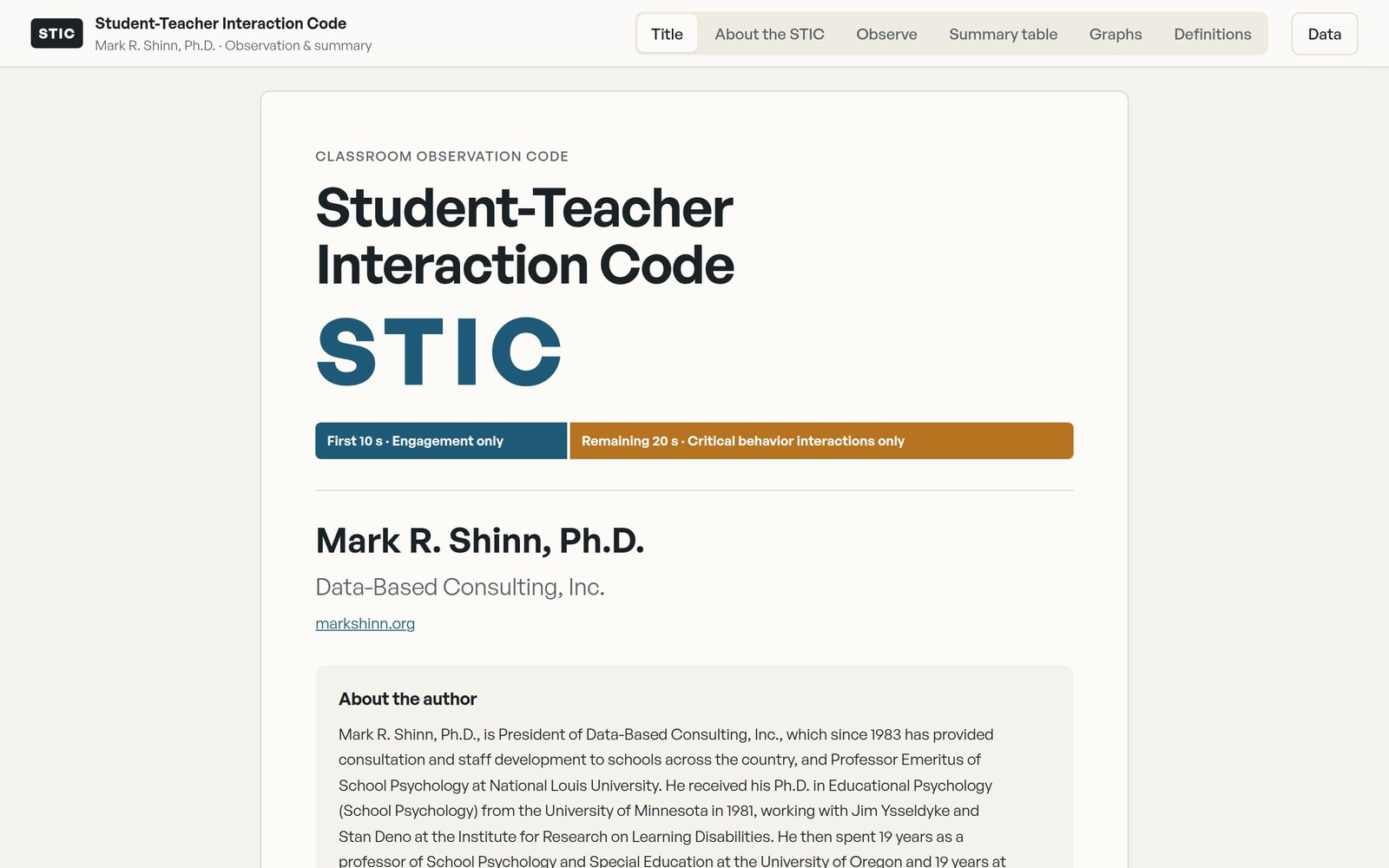
A classroom observation app that compares a student of concern's critical classroom behaviors with classroom peers, so teams can identify potential Performance Discrepancies from an ecological perspective, including Teacher-Student and Student-Peer interactions.
See Pricing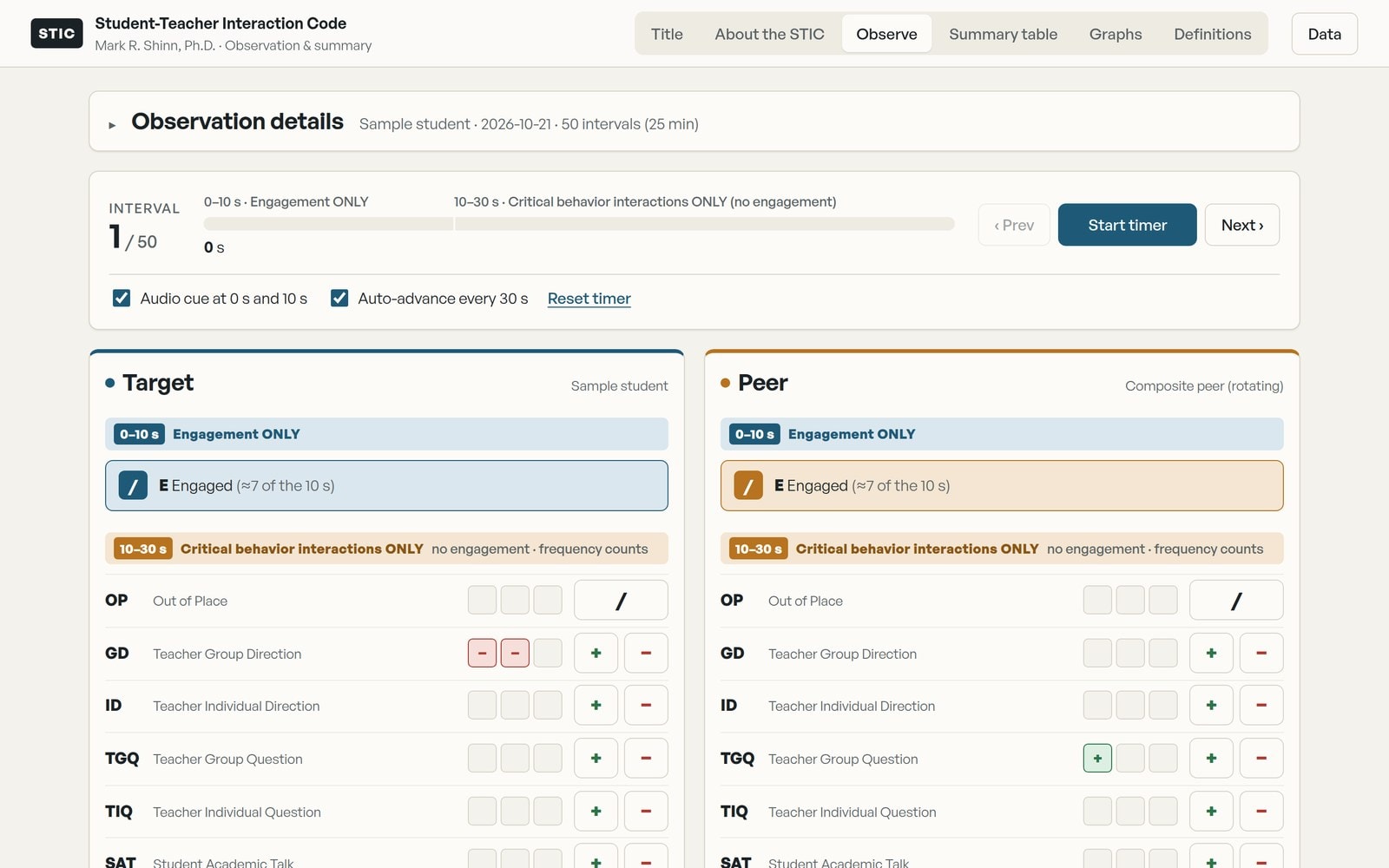
Developed by Mark R. Shinn, Ph.D.
The STIC was developed to enable educators to compare a student of concern's critical classroom behaviors to classroom peers, so they can identify potential Performance Discrepancies from an ecological perspective, including Teacher-Student and Student-Peer interactions.
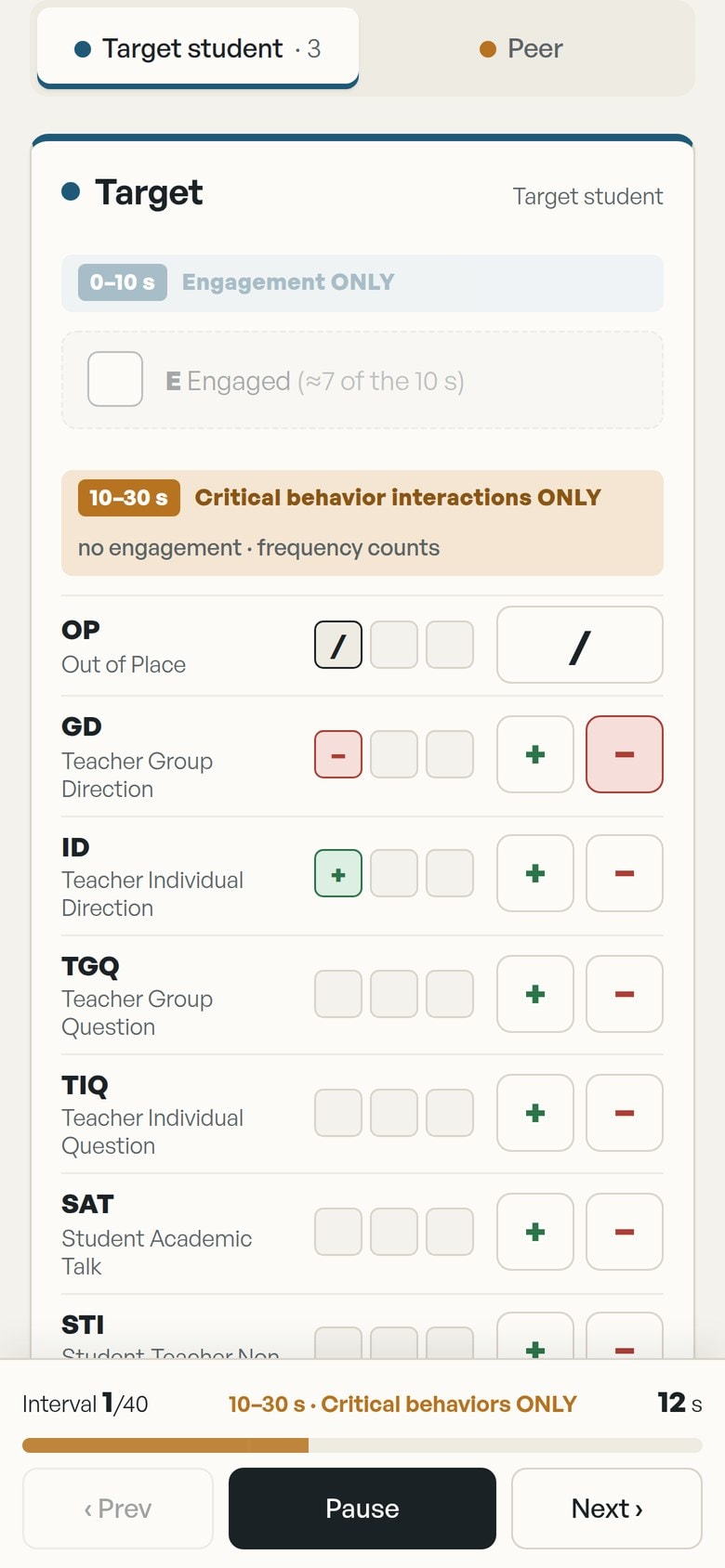
Observers code in 30-second intervals:
- First 10 seconds: Engagement only. Record whether the student and the peer were engaged. Engagement is collected only here.
- Remaining 20 seconds: critical behavior interactions only. Record Out of Place, teacher directions and questions (group and individual), student academic and non-academic talk, peer interactions, and physical contact. Engagement is not recorded in these 20 seconds.
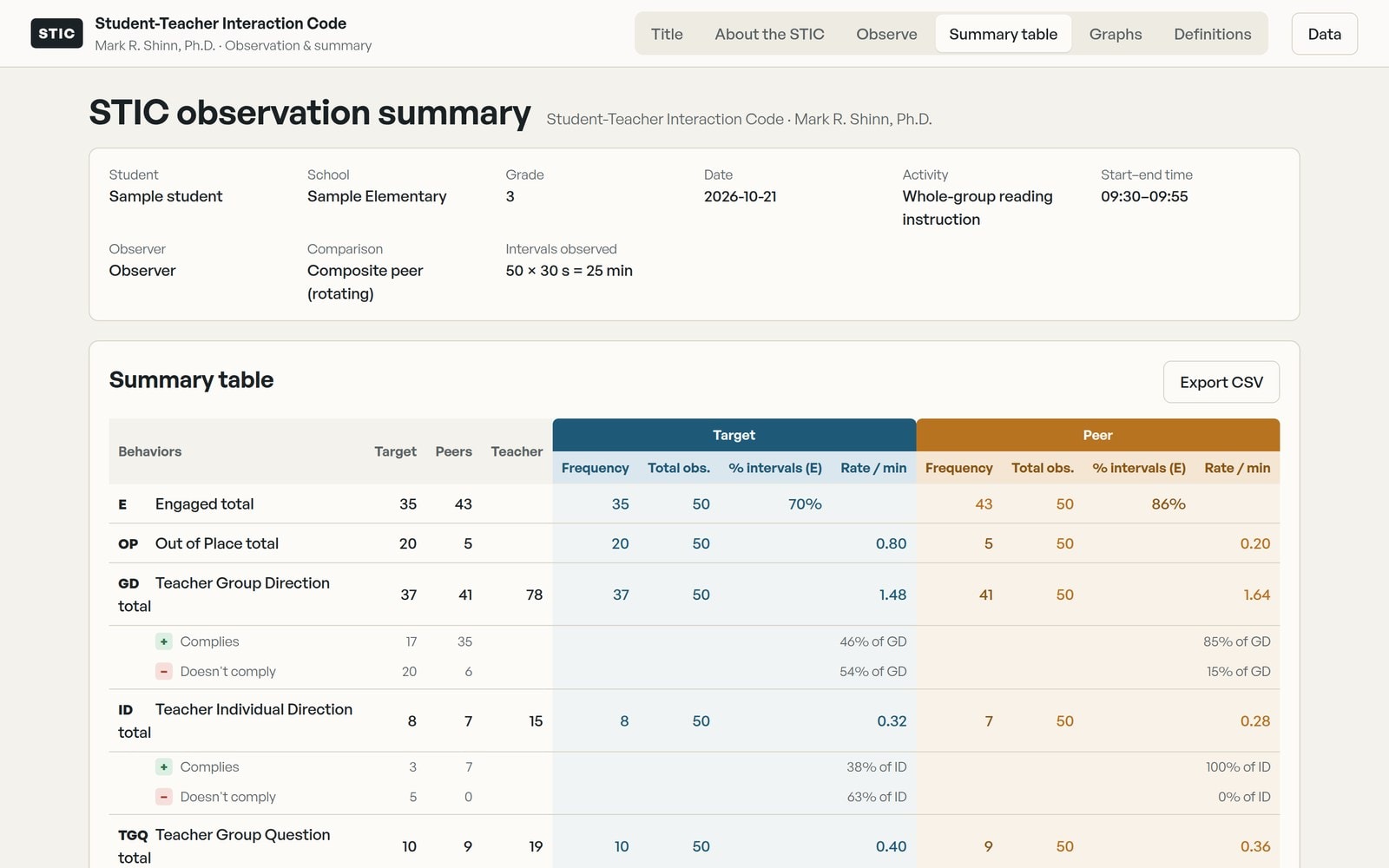
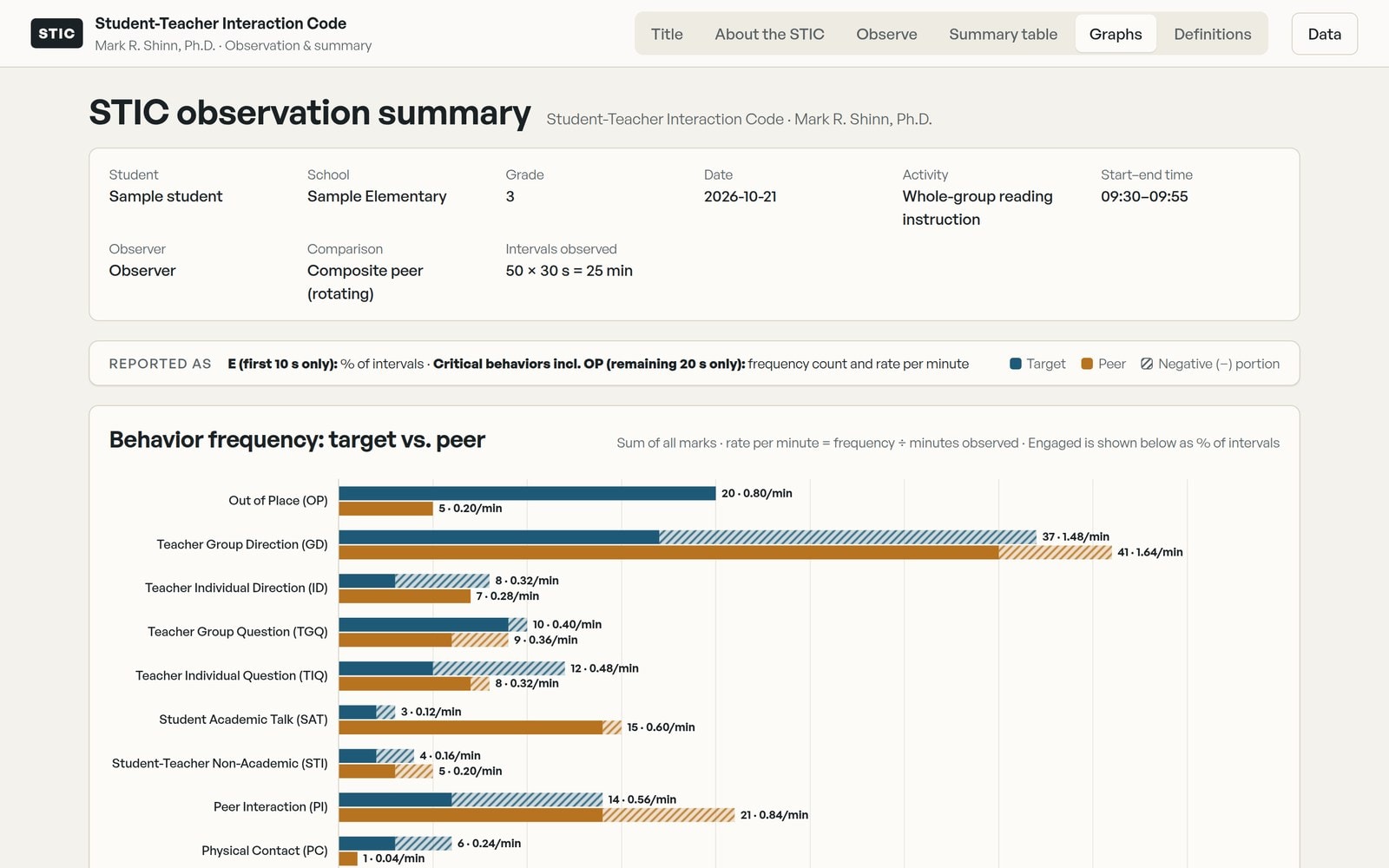
The app builds the summary table and comparison graphs automatically, as soon as the observation ends.
What the App Helps You Do
Key Features
Built-in interval timer
Audio cues at 0 and 10 seconds, and it moves to the next interval automatically every 30 seconds.
Target and peer side by side
Code the student of concern and a selected or rotating composite peer in the same interval.
Frequency counts and rate per minute
Every critical behavior is summed across the whole observation and converted to a rate per minute. Engagement is reported as the percent of intervals.
Automatic summary table
Target, peer and teacher totals are calculated for you, with discrepancy ratios flagged.
Comparison graphs
Each behavior is graphed for the target student and the peer, with positive and negative interactions shown separately.
Works on computer, iPad and phone
Install it from the web onto any device. After the first activation it works offline, and observation data stays on your device.
Built for School Teams
Who It's For
School psychologists
Document classroom behavior and teacher-student interactions as part of problem-solving, MTSS and special education evaluations.
Behavior specialists and coaches
Compare a student with peers in the same setting before deciding on an intervention.
Special education teams
Add direct, quantified observation data to eligibility and re-evaluation decisions.
Graduate trainers
Teach structured classroom observation with a consistent, research-based code.
GET THE STIC
One-time purchase. No subscription.
Buy a license, then open stic.markshinn.org and enter the license key from your receipt email. You need internet only for that first step. After that, the STIC works offline on your device.
Individual
$19.99
1 person on up to 3 devices (for example a computer, an iPad and a phone)
Buy IndividualSchool District
$99.99
Staff across one school district or specific staff members, up to 75 devices
Buy School DistrictEvery tier includes the full STIC. The tiers differ only in how many devices can be activated.
Already have a license?
Open the STICInstalling on iPad or iPhone: open stic.markshinn.org in Safari, tap Share, then Add to Home Screen. Open the STIC from the home screen and enter your key there.
After you buy
The STIC runs in your web browser. There is nothing to download and no account to create.
Check your email. Your receipt from Data-Based Consulting, Inc includes your license key.
Click Open the STIC in the receipt, or go to stic.markshinn.org and paste your key. Click Activate. Internet is needed the first time on each device; after that it works offline.
On an iPad, add the STIC to your Home Screen first (Share, then Add to Home Screen), then enter your key there. Use the same key on each of your devices.
Questions? Email markshinn@icloud.com
Questions about the STIC? Contact Dr. Shinn